Take the Manual Work Out of Shift Bidding.
Run a fair, consistent shift bid without the administrative burden. InTime automates awards based on your agency’s rules, then turns the results into your next schedule.
Why agencies use InTime Shift Bidding.
Spend less time managing shift bids
Reduce the administrative work behind one of your agency's biggest scheduling processes.
Give employees greater visibility
Help employees understand where they stand and feel confident in the bidding process.
Keep shift awards fair and consistent
Make bidding decisions consistent with your agency's established rules and requirements.
Start scheduling with confidence
Move from completed bids to your next schedule without rebuilding assignments by hand.
Inside InTime Shift Bidding:
Your bidding process, automated.
From setting up your bid to reviewing final awards, manage every stage of the process through one connected workflow.
Bid Setup
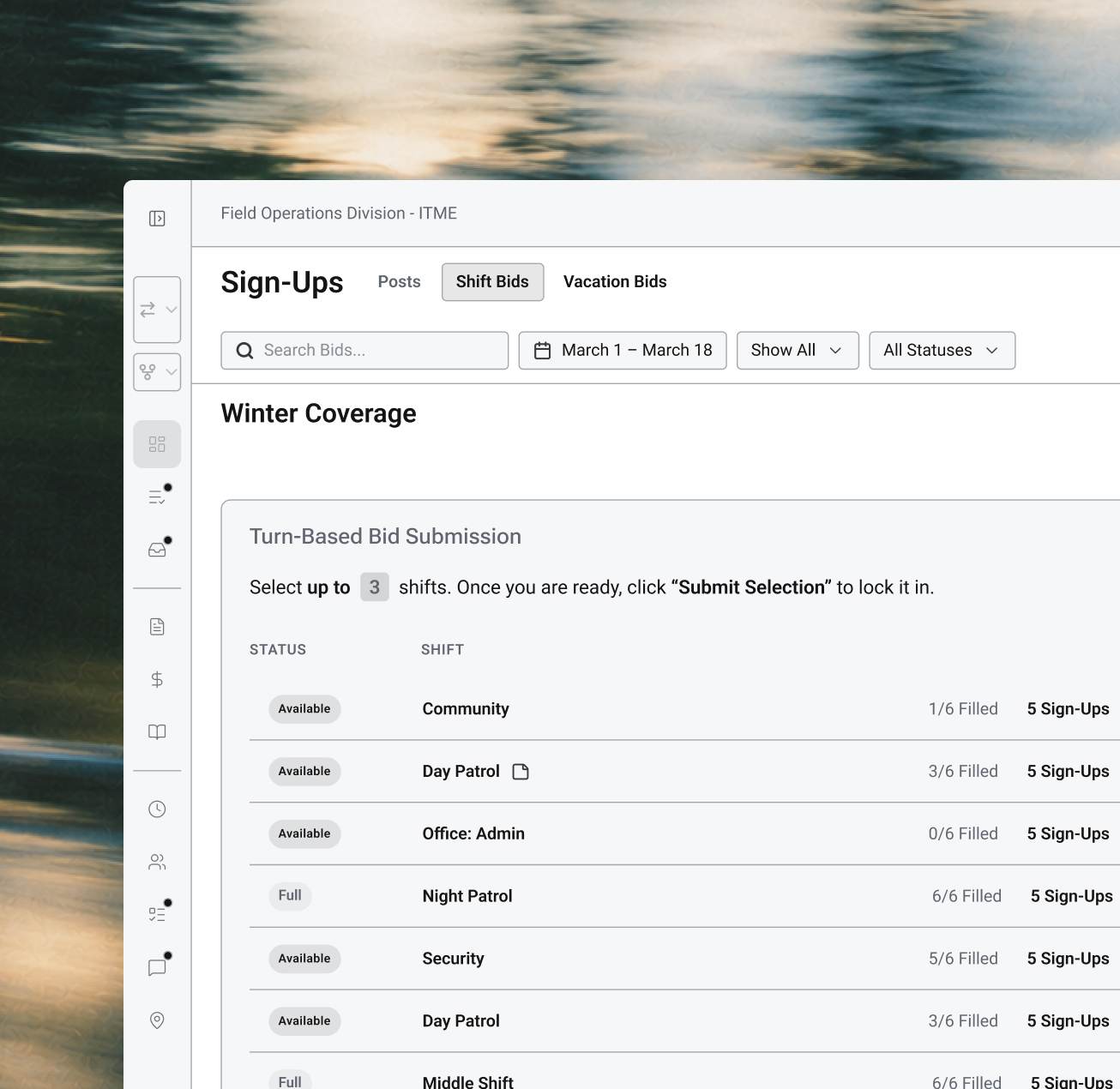
Set up the shift positions your agency needs
- Start with an existing scheduling template or create new shift positions for your upcoming bidding period.
- Choose between All-at-Once and Turn-Based bidding to match your agency’s process.
- Set the bidding period and submission deadlines so employees know when to participate.
Employee Bidding
Collect preferences without chasing people
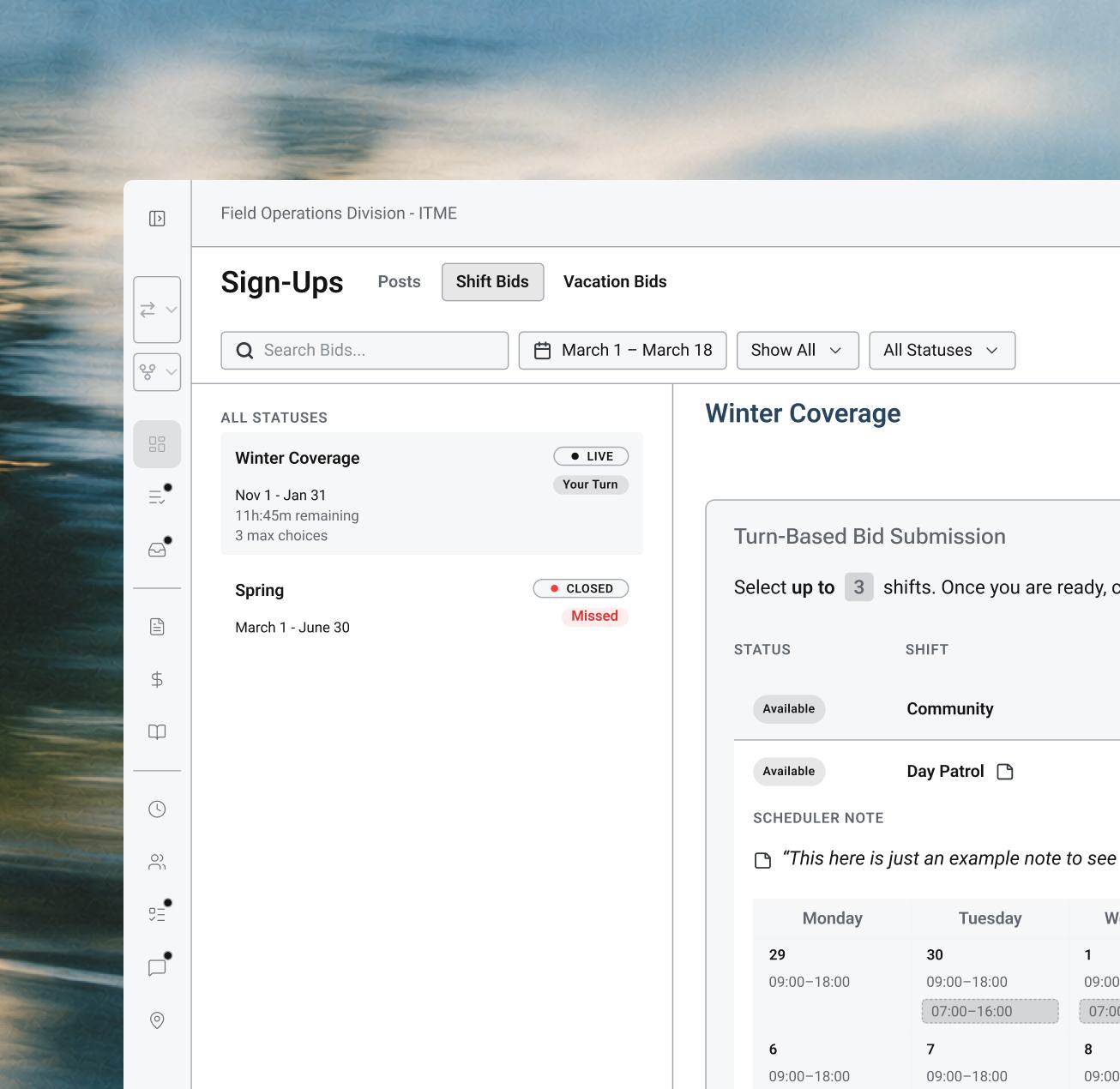
- Employees can view available shift positions and submit their preferences from web or mobile.
- Automatic notifications let employees know when it’s their turn to bid, with reminders if they haven’t responded.
- Employees can track where they stand throughout the process, giving them greater visibility into how bidding progresses.
Rules and Ranking
Award positions using your agency’s rules
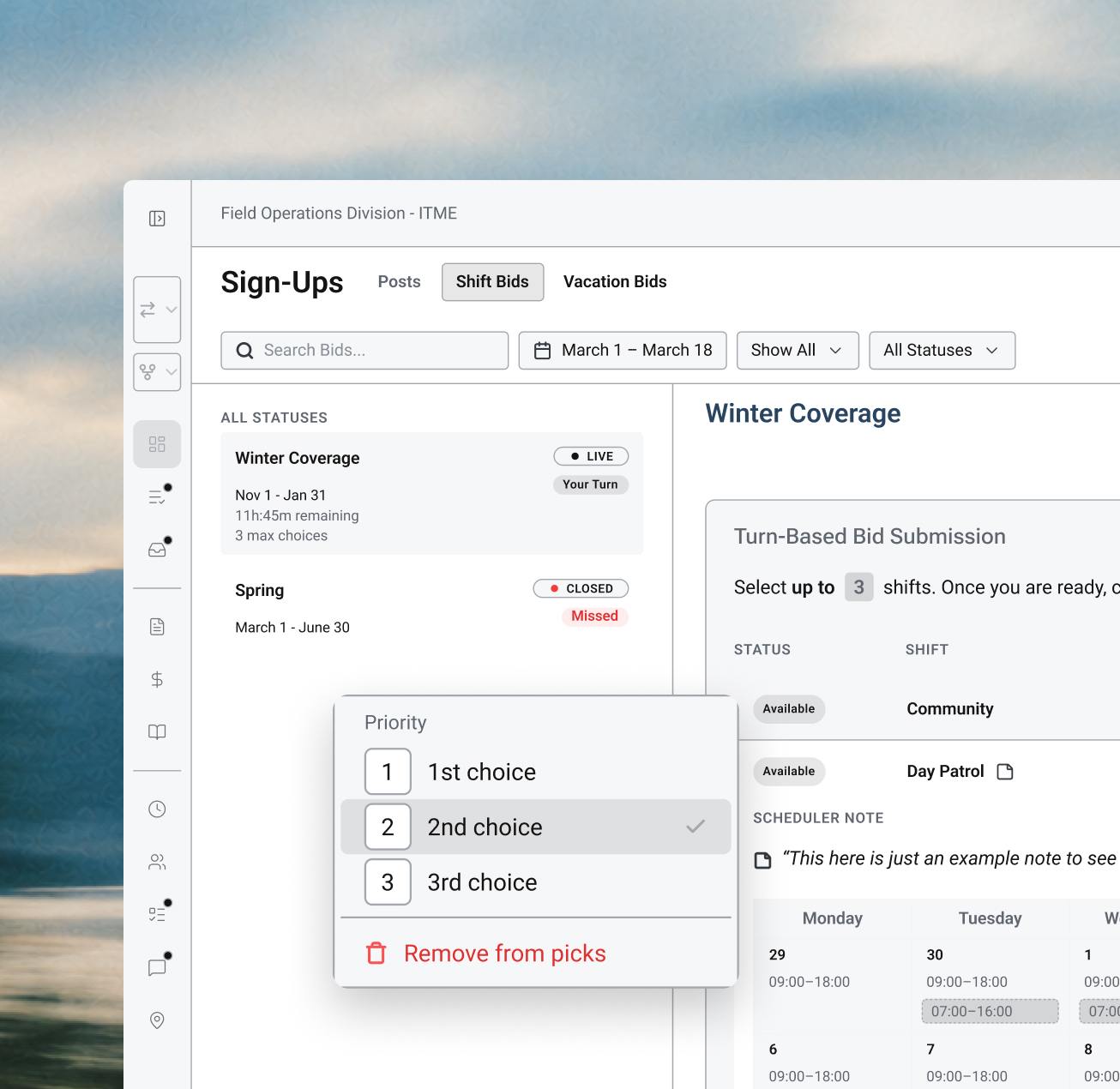
- Establish the order in which bids are evaluated based on seniority, employee preferences, and your agency’s requirements.
- Apply your agency’s configured eligibility requirements to determine which employees qualify for each position.
- Automatically award shift positions according to those criteria, with the flexibility to manage exceptions when needed.
Schedule Transition
Turn awarded shifts into your next schedule
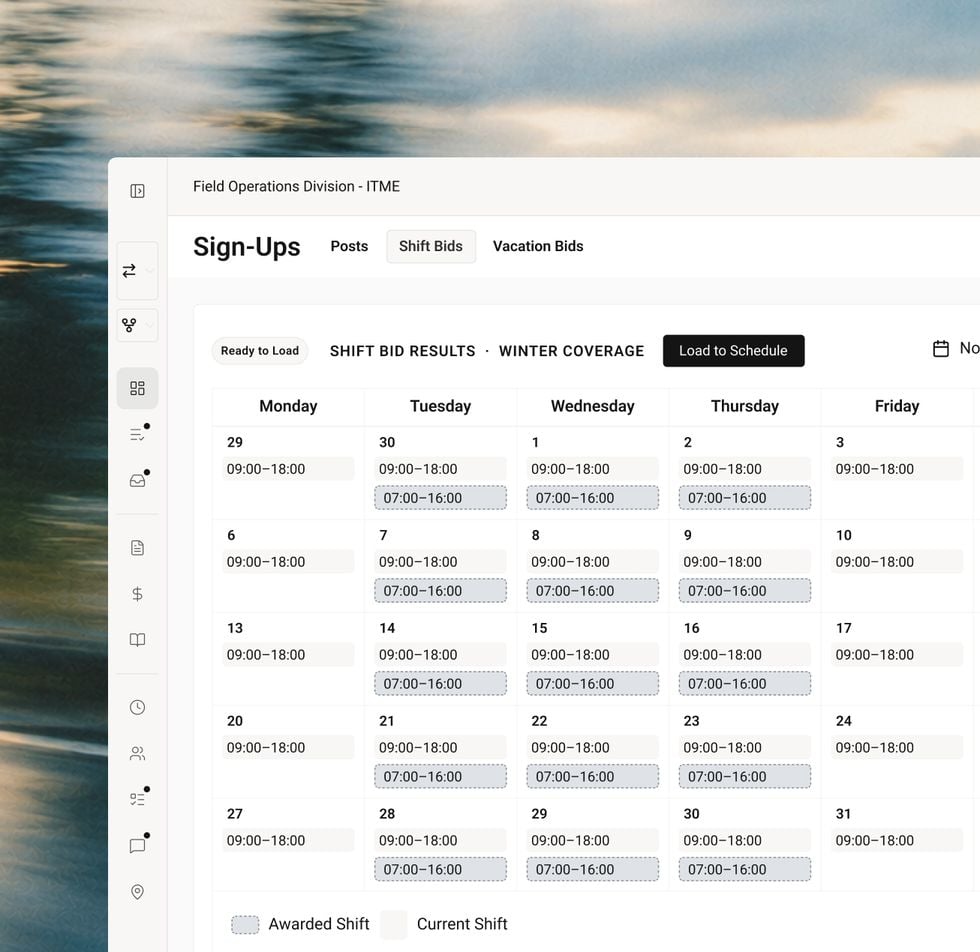
- Once bidding is complete, awarded positions are populated into a schedule template.
- Review the completed awards before moving them into your live schedule.
- Load the results into InTime Scheduling to review coverage and publish your schedule.
If you’re wondering what other public safety agencies use, it’s us.
"With InTime, making schedule changes is so much simpler that we've reduced our time spent scheduling by 90%."
Tigard Police Department
David Frisendahl, Lieutenant
90%
reduction in scheduling time
1320
reduction in scheduling time
1.2M
reduction in scheduling time
01
Set up shift positions
Create the shift positions for bidding. Set the eligibility rules and sorting sequence for your agency.
02
Employees submit preferences
Employees review available shift positions and submit their preferences through the web or mobile app.
03
Review and load the template
InTime awards positions using your rules and employee preferences. Review the completed template, then load it into the schedule.
More than shift bidding. One connected solution.
Scheduling
Manage coverage, rotations, and daily staffing changes in one live schedule.
Overtime Management
Fill open shifts using your rules for eligibility, outreach, and equitable distribution.
Vacation Bidding
Collect and award vacation preferences through a structured, rule-based process.
Leave Management
Manage requests, balances, approvals, and schedule impact in one workflow.
Timekeeping
Create timesheets from the live schedule for review, approval, and payroll export.
Reporting and Dashboards
Track coverage, overtime, fatigue, and staffing activity to improve future decisions.
Ready to Automate Your Next Bid?
Your next bidding cycle doesn’t have to be a manual process. Discover how InTime makes it easier to manage from start to finish.
Frequently asked questions
about shift bidding
Can InTime follow our seniority and union rules?
Yes. We can configure the bidding process around your agency’s seniority requirements and union rules. Eligibility criteria determine who qualifies; your sorting sequence determines how preferences are considered when awarding positions.
How does InTime check who is eligible?
InTime uses your configured eligibility rules to determine who qualifies for a shift position. Those requirements guide awards alongside your agency’s sorting sequence.
Can employees submit bids from their phones?
Yes. Employees can view available shifts and submit preferences through the web or the InTime mobile scheduling app.
What happens after shift positions are awarded?
InTime builds a schedule template populated with the awarded positions. Administrators review the template, load it into InTime Scheduling, then review coverage and publish the schedule.