
vacation bidding by your rules.
Manage vacation bids according to your agency’s seniority rules, with clear visibility into available dates. Approved selections flow directly into the schedule, making it easier to plan ahead.
Make vacation bidding easier for everyone.
Follow seniority rules
Run vacation bids in seniority order, with separate rules for different employee groups.
Keep bidding moving
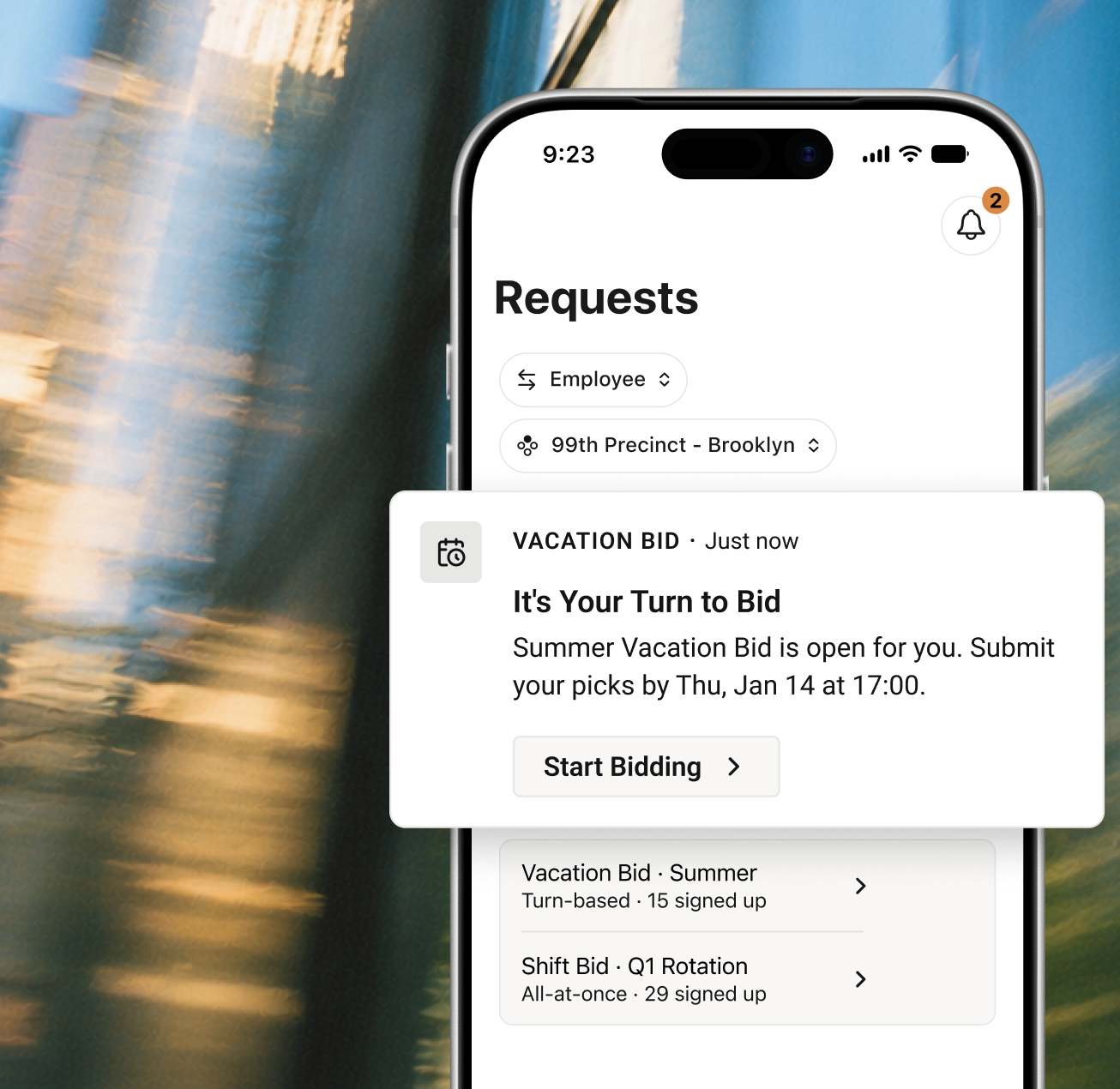
Notify employees when it's their turn, send deadline reminders, and reduce manual follow-ups.
Make selections visible
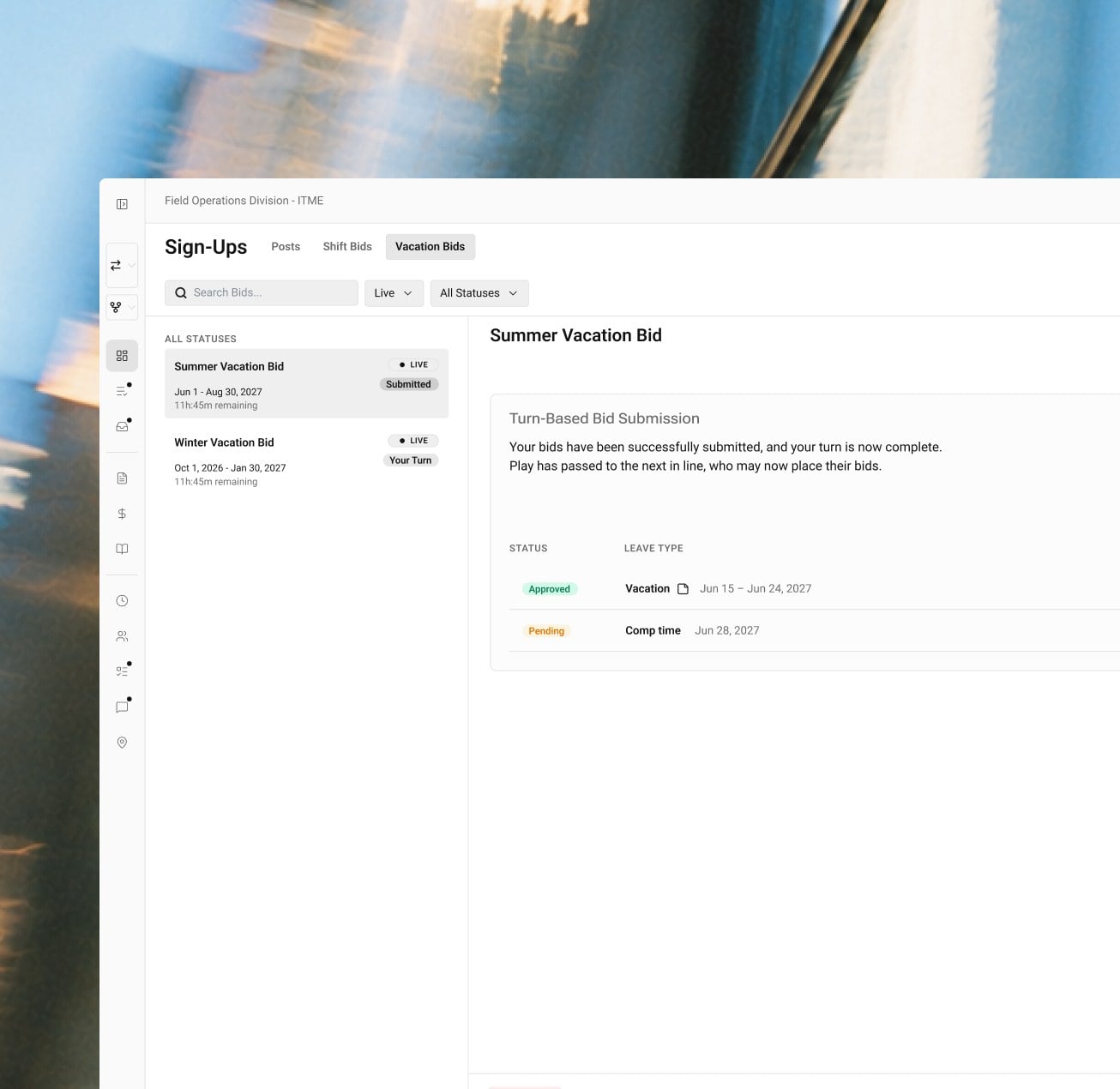
Let employees see which dates have been requested or approved for a more transparent bidding process.
Plan coverage earlier
Add approved vacation directly to the schedule so staffing needs are visible well before time off begins.
Inside InTime Vacation Bidding:
From first pick to final approval.
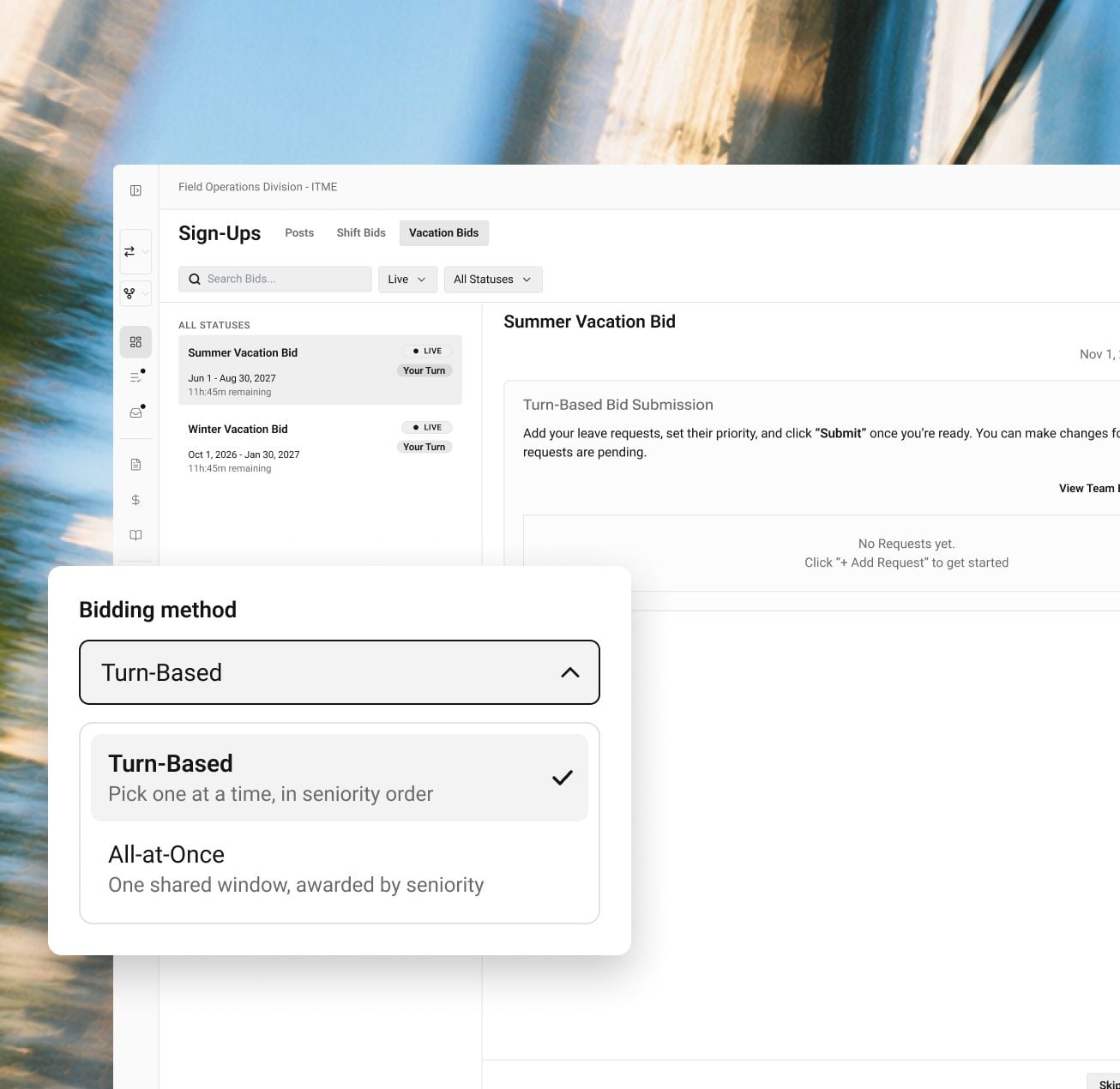
Choose between Turn-Based or All-at-Once bidding, set your agency’s selection order, and manage the process through to the published schedule.
Bidding Methods
Choose the process that fits your agency.
- Run Turn-Based bidding, giving employees their opportunity to select vacation in seniority order.
- Use All-at-Once bidding to collect selections during a shared window, then award by seniority.
- Set bidding windows and deadlines to keep the process moving.
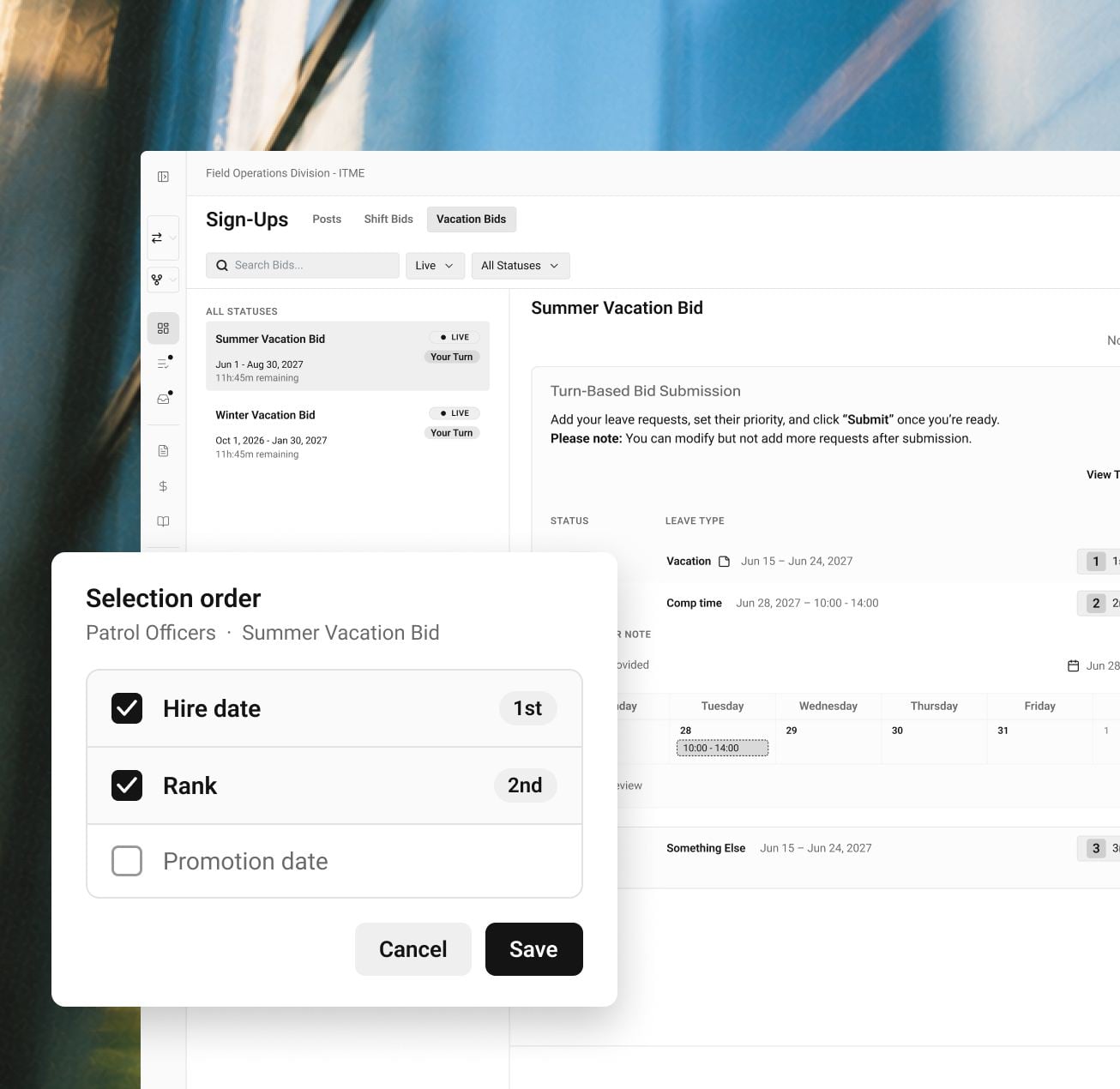
Seniority and Group Rules
Follow your agency’s selection order.
- Prioritize bids by hire date, rank, promotion date, or a custom sequence.
- Create separate bidding processes for different teams, ranks, or divisions.
- Apply the appropriate selection order to each employee group.
Employee Bidding and Notifications
Keep employees informed throughout the process.
- Let employees submit vacation blocks and review their available leave balances.
- Show requested and approved vacation dates in the Team Bid view.
- Send turn notifications, deadline reminders, and approval updates.
Approvals and Schedule Updates
Turn approved vacation into an accurate schedule.
- Review vacation selections with coverage and conflict alerts before approval.
- Automatically add approved vacation to the live schedule.
- See upcoming vacancies early so staffing needs can be addressed in advance.
01
Set up your bid
Choose Turn-Based or All-at-Once bidding, define seniority order, and set the rules for each employee group.
02
Collect vacation picks
Notify employees when bidding opens or it’s their turn. They review available dates, check balances, and submit their picks.
03
Review and approve
Review bids against coverage needs and potential conflicts. Approved vacation goes directly into the live schedule.
Vacation planning is just one part of workforce scheduling.
Scheduling
Manage coverage, rotations, and daily staffing changes in one live schedule.
Leave Management
Manage requests, balances, approvals, and schedule impact in one workflow.
Shift Bidding
Post shifts, collect employee sign-ups, and build the awarded schedule faster.
Overtime Management
Fill open shifts using your rules for eligibility, outreach, and equitable distribution.
Reporting and Dashboards
Track coverage, overtime, fatigue, and staffing activity to improve future decisions.
Timekeeping
Create timesheets from the live schedule for review, approval, and payroll export.
LESS FOLLOW-UP. MORE VISABILITY. BETTER PLANNING.
See how InTime makes annual vacation bidding easier to manage, with approved selections flowing directly into your schedule.
Your questions about
InTime Vacation Bidding, answered.
Does InTime support seniority-based vacation bidding?
Yes. InTime lets agencies establish bidding order based on hire date, rank, promotion date, or a custom sequence. This helps ensure vacation selections follow your agency’s collective bargaining agreements and established rules.
What's the difference between Turn-Based and All-at-Once bidding?
Turn-Based bidding gives employees an opportunity to select vacation in seniority order, one at a time. All-at-Once bidding lets employees submit selections during a shared window, with vacation awarded by seniority when bidding closes.
Can different employee groups have separate vacation bids?
Yes. Agencies can create separate bidding processes for different ranks, teams, or divisions. Each group can have its own selection order, bidding window, and rules.
What happens if an employee misses their bidding turn?
In Turn-Based bidding, employees receive notifications and deadline reminders. If someone misses their window, the process automatically advances to the next employee. Additional time-off requests can be submitted through Leave Management.
Can employees see which vacation dates have already been selected?
Yes. The Team Bid view shows vacation selections that have been submitted or approved, giving employees greater visibility into the process before making their own picks.
Does approved vacation automatically update the schedule?
Yes. Once approved, vacation selections are added directly to the live schedule. Coverage and conflict alerts help schedulers identify potential staffing issues during the approval process.