
SCHEDULING BUILT FOR PUBLIC SAFETY.
Build schedules that reflect how your agency actually operates. Keep coverage clear, assignments accurate, and changes easy to manage as the schedule evolves.
Why public safety teams choose InTime Scheduling.
See the Full Schedule
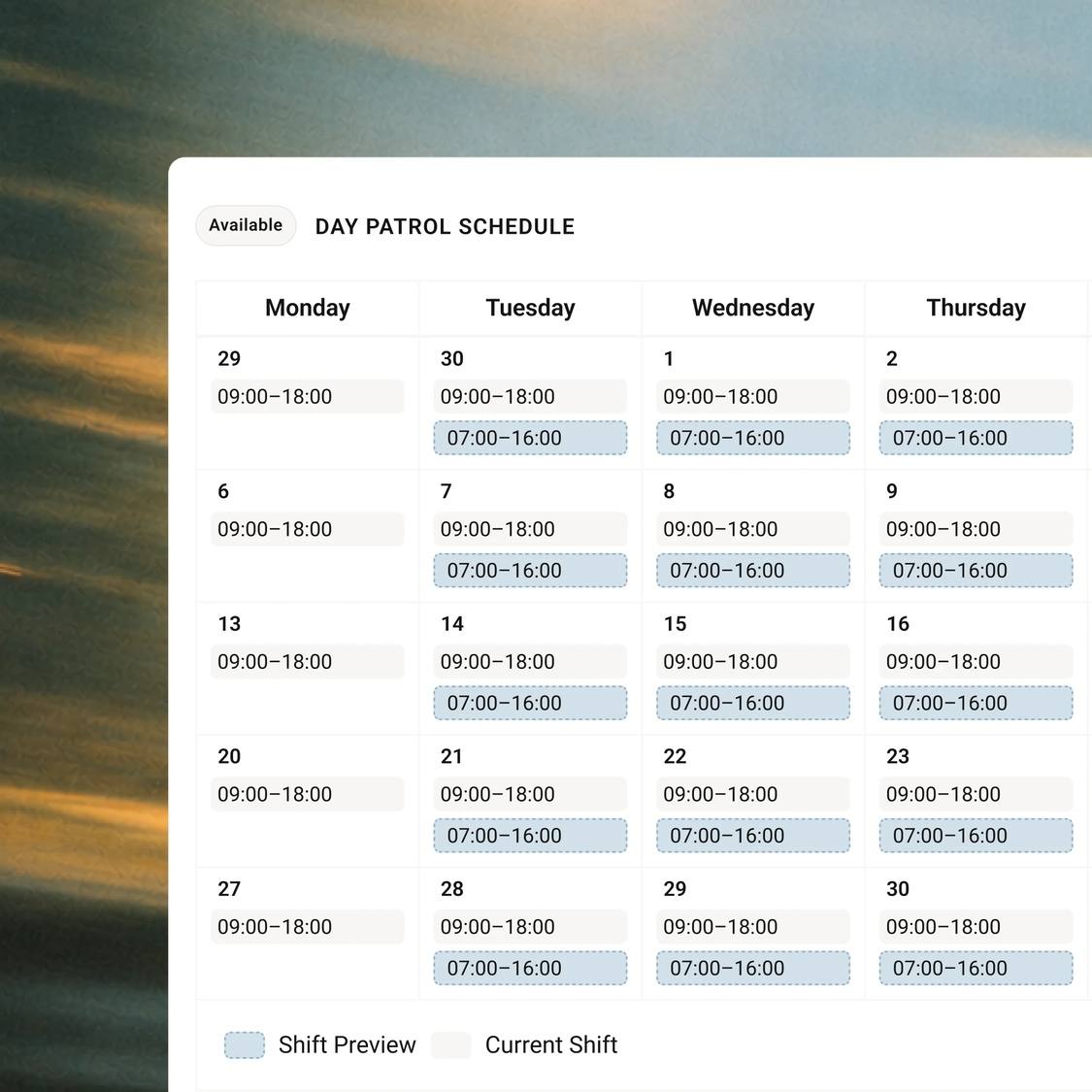
View shifts, assignments, and staffing across your agency, with filters to focus on individual teams.
Spot Staffing Gaps Early
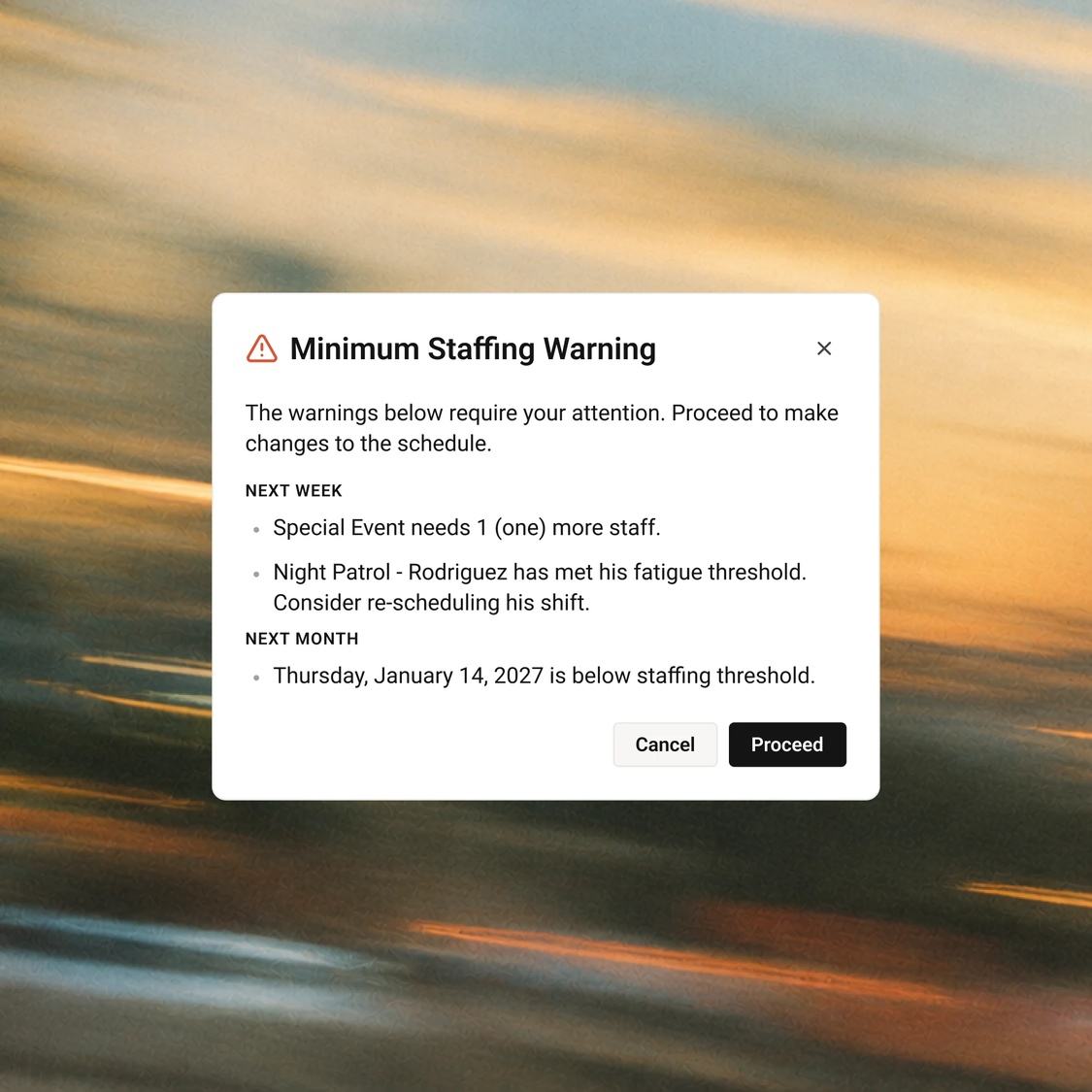
Set staffing minimums to identify coverage gaps, giving you time to fill shifts before they're needed.
Schedule Within Policy
Account for qualifications, fatigue limits, staffing rules, and union requirements as you schedule.
Keep Changes Live
Make schedule updates once and have them reflected immediately for everyone who needs them.
Inside InTime Scheduling:
Built around what your team needs.
From daily coverage changes to complex staffing requirements, manage the realities of public safety scheduling in one place.
One Schedule View
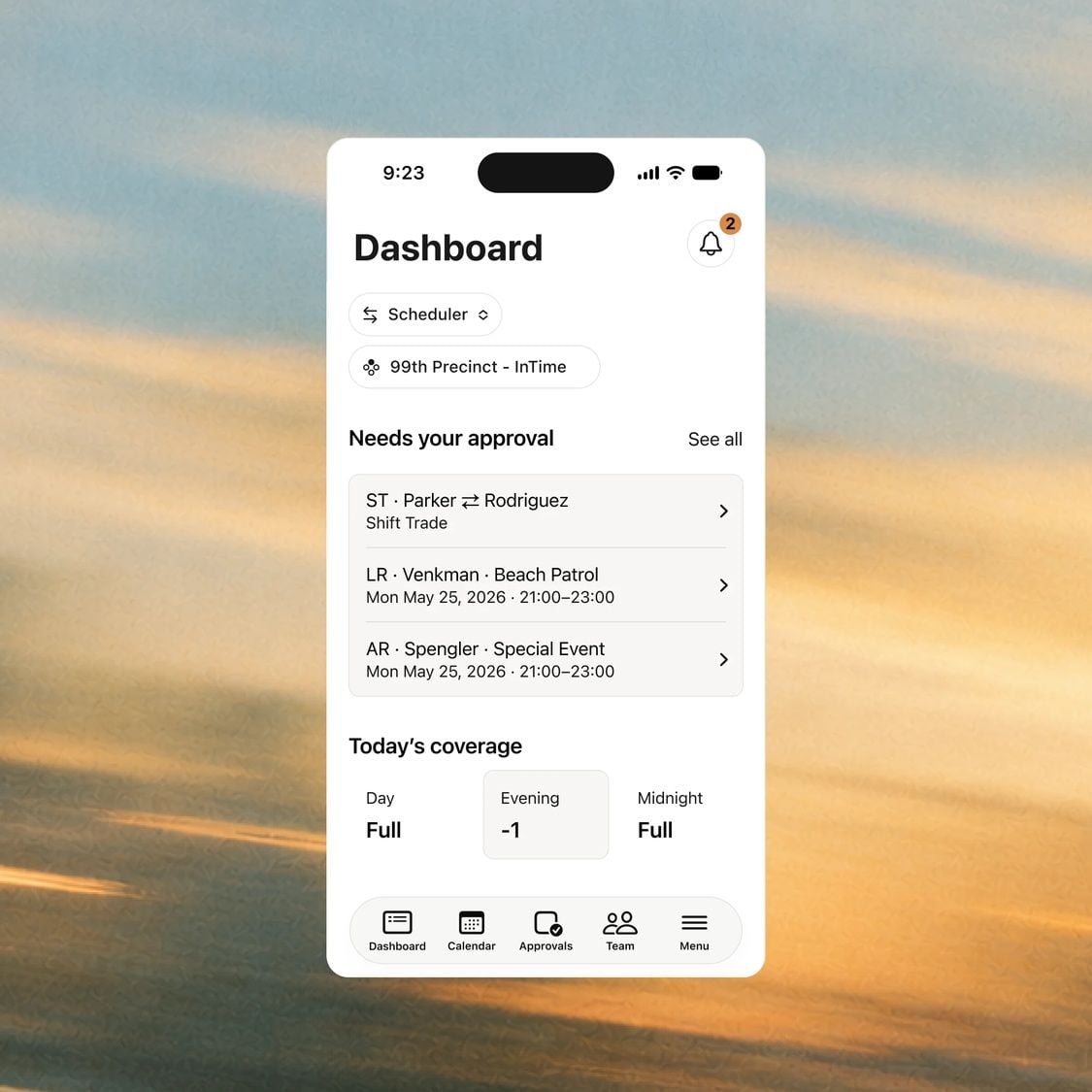
Keep schedulers and officers connected to one live schedule.
- See shifts, teams, units, locations, and assignments together.
- Move employees, extend shifts, and approve time off while keeping one live schedule everyone can trust.
- Give officers and staff web and mobile access to schedules, real-time updates, shift sign-ups, leave requests, and shift swaps.
Minimum Staffing
See staffing shortages early and act before they become urgent.
- Set coverage requirements by time of day, location, role, skill, or qualification.
- Get automated minimum-staffing alerts weeks or months in advance.
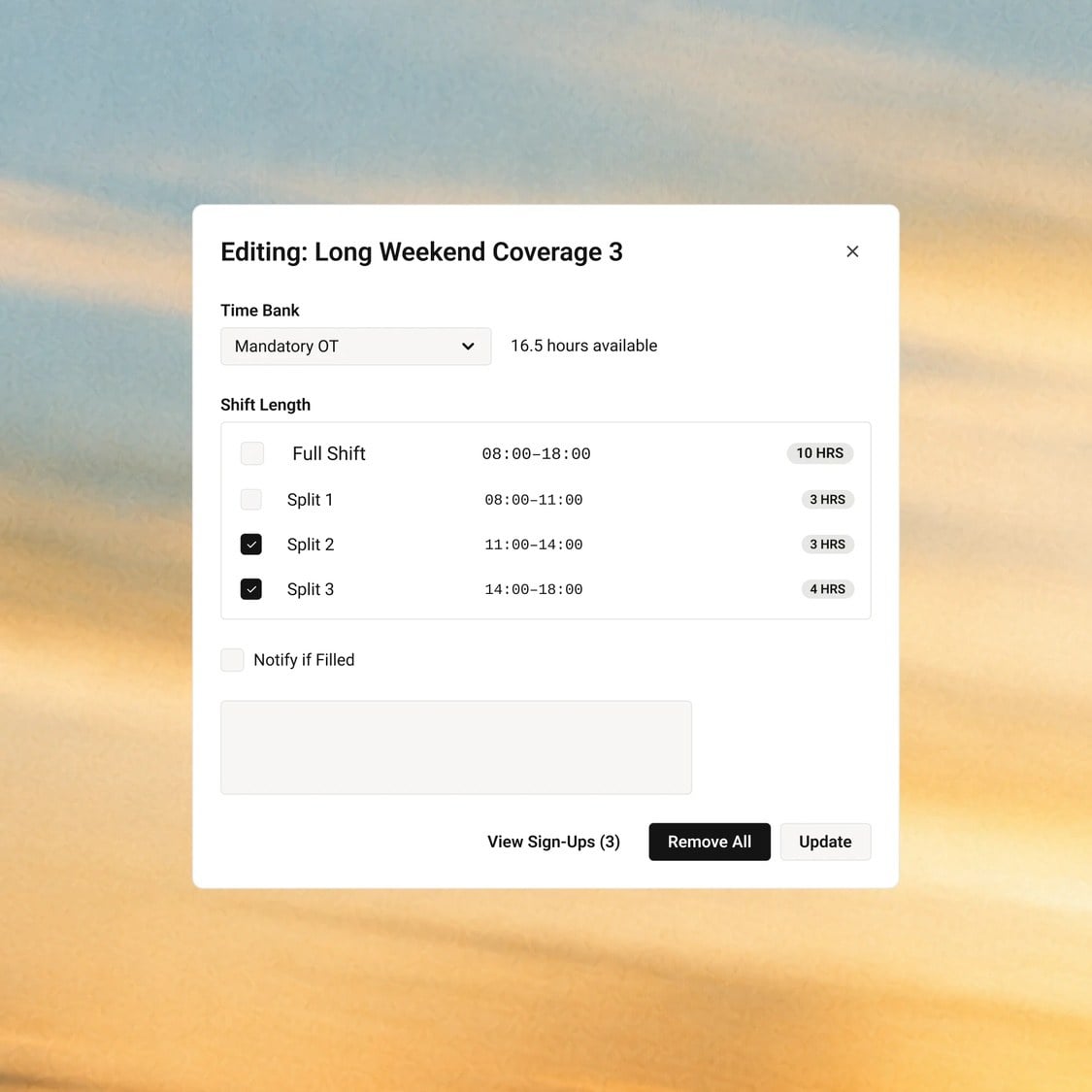
- Turn a shortage into an overtime posting so eligible employees can respond quickly.
Overtime Posting
Fill open shifts fairly and consistently.
- Post voluntary or mandatory overtime and notify eligible employees automatically.
- Apply union rules, qualifications, fatigue limits, and distribution order, then automate the award or keep final approval with a scheduler
Templates and Rotations
Build familiar public safety rotations at scale.
- Create 8-, 10-, 12-, and 24-hour shifts, including 2-2-3, 4-on/4-off, 24/48, and 48/96 rotations.
- Reuse 28-, 30-, or 90-day schedule blocks, publish up to a year in advance, and test coverage before going live.
Built for public safety.
Proven in the field.
"With InTime, making schedule changes is so much simpler that we've reduced our time spent scheduling by 90%."

Tigard Police Department
David Frisendahl, Lieutenant
90%
reduction in scheduling time
65
Sworn officers
65K
Population served
01
Create your scheduling template
Set shifts, rotations, coverage, and rules with help from InTime’s implementation team.
02
Load the schedule
Generate schedules up to a year ahead, with approved leave and planned assignments built in.
03
Manage changes
Move employees, fill gaps, approve leave, and publish real-time updates from one live schedule.
Power up scheduling with connected InTime capabilities.
Overtime Management
Fill open shifts using your rules for eligibility, outreach, and equitable distribution.
Leave Management
Manage requests, balances, approvals, and schedule impact in one workflow.
Event Management
Manage regular schedules, extra-duty assignments, and special events in one place.
Shift Bidding
Post shifts, collect employee sign-ups, and build the awarded schedule faster.
Timekeeping
Create timesheets from scheduled work and day-of changes, ready for review and payroll.
Reporting and Dashboards
Track coverage, overtime, fatigue, and staffing activity to improve future decisions.
Build a Workforce That's ready for What's next.
See how InTime can help your agency maintain coverage, reduce schedule errors, and make everyday changes faster.
The most frequently asked
questions about InTime Scheduling.
Can InTime support our agency's schedules and rotations?
Yes. InTime supports common public safety rotations like:
- 8-, 10-, 12-, and 24-hour shifts
- 2-2-3
- 4-on/4-off
- 4-on/3-off
- 24/48
- 48/96
Agencies can also create reusable 28-, 30-, and 90-day schedule templates and publish schedules up to a year in advance.
Each schedule can be configured around your staffing requirements, locations, and union rules.
How does InTime help prevent staffing gaps?
InTime gives schedules a clear view of staffing coverage across shifts, locations, and roles. Coverage requirements can also account for specific skills or qualifications.
Automated minimum-staffing alerts flag potential shortages weeks or months in advance, giving schedulers time to respond before gapes become urgent.
What happens when the schedule changes?
Schedulers can update assignments from one view and notify affected employees in real time. Changes are reflected in the live schedule so everyone has access to the latest information.
How can employees access their schedule?
Employees can access their live schedule through InTime Desktop or InTime Mobile app for iOS and Android.
From web or mobile, employees can view schedules, receive notifications, sign up for shifts, request leave, or submit shift swaps.
Can InTime manage voluntary and mandatory overtime?
Yes. Agencies can post voluntary or mandatory overtime and automatically notify eligible employees through the mobile app, email, or SMS.
InTime applies your agencies union rules, qualifications, fatigue limits, and distribution order to help ensure fair, consistent assignments. Overtime awards can be automated or left for scheduler review.
Can InTime connect with our existing systems?
Yes. InTime supports integrations with common HR, payroll, CAD, and justice systems. This allows schedule information to flow into existing agency workflows, reducing duplicate data entry.